AI Lead Generation With Real Google Maps Data: ChatGPT and Claude Setup (2026)

Every sales team has tried it by now: ask ChatGPT for "50 dentists in Chicago with phone numbers" and get back a tidy, confident table. Then someone dials the numbers. A few are right, a few reach a different business, and a few belong to clinics that do not exist. That is not a bug in your prompt. A language model without a data connection is a text generator, not a database, so it produces what a lead list looks like rather than what a lead list is.
The fix arrived in 2025 and matured in 2026: connectors. ChatGPT and Claude can now call live tools during a conversation, and when one of those tools is a real Google Maps business database, the AI stops inventing and starts querying. You keep the natural-language workflow ("find them, filter them, plan my outreach") and every row in the result is a business that actually exists. This guide covers the setup, the prompts that work, and the honest boundaries of what AI adds.
Why the AI Alone Gets Leads Wrong
A model answers from patterns learned during training. That has two consequences for lead generation:
| What you ask for | What a disconnected AI does |
|---|---|
| "50 plumbers in Austin with phones" | Generates plausible names and numbers; some real, some blended, some invented |
| "Their current ratings" | Recalls whatever was in training data, often months or years stale |
| "Only ones without a website" | Cannot check; guesses from memory |
| "Export all of it as CSV" | Formats beautifully, which makes the wrong data look trustworthy |
The polish is the trap. A hallucinated list in a clean table costs you hours of dialing dead numbers and, if you email invented addresses, real deliverability damage. Web browsing modes help less than you would hope: the AI reads a handful of pages slowly, cannot paginate through hundreds of listings, and still cannot verify fields like review counts at scale.
None of this means AI is useless for lead gen. It means the jobs must be split correctly: the model reasons, the data source answers.
The Three Levels of AI Lead Generation
Level 1: AI as strategist and writer. No setup needed. Use the assistant to define your ideal customer, pick categories and cities worth targeting, and draft outreach. It is excellent at this, and our cold email guide shows what to ask for.
Level 2: AI with web browsing. The assistant reads live pages, so single facts get checkable. For lists it stays weak: slow, shallow and unexportable at any real volume.
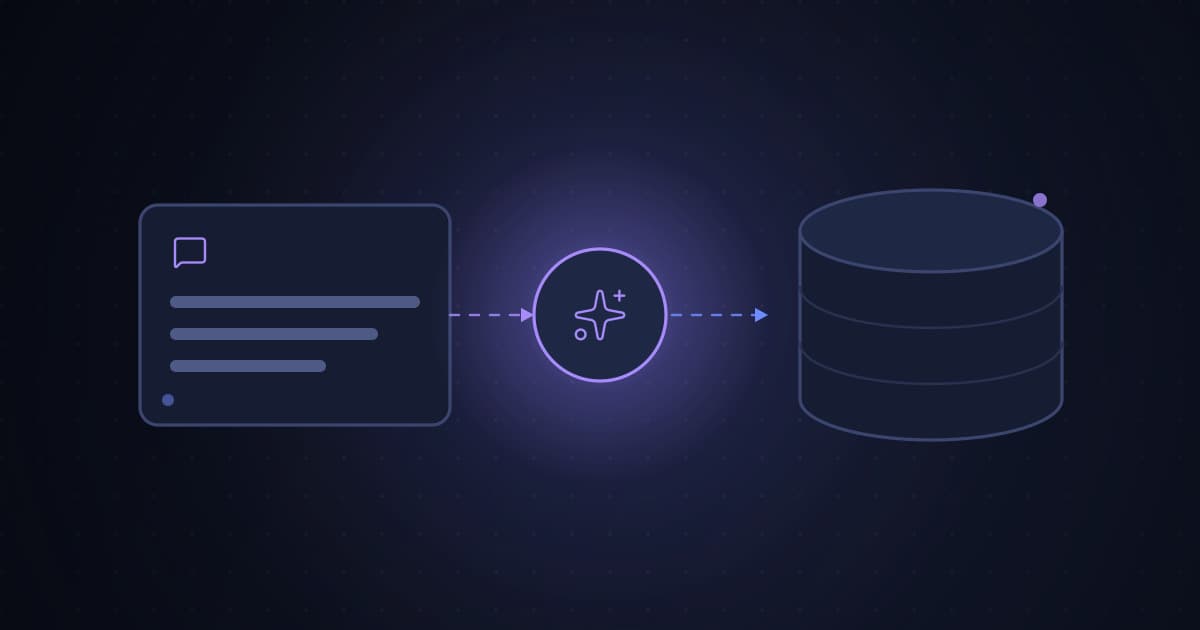
Level 3: AI with a data connector. The assistant calls a scraping and enrichment tool directly. You ask in plain language; the tool searches Google Maps listings across 195 countries, returns real records with phone, address, website, rating, review count and published emails; the AI filters, dedupes, summarizes and hands you a CSV. This level is where lead generation actually happens, and it is what the rest of this guide sets up.
What the Connector Does Under the Hood
BasedOnBusiness exposes its platform to AI assistants through MCP, the open protocol both Claude and ChatGPT use for external tools. After a one-time OAuth authorization (no API keys pasted into the chat), the assistant can call ten tools: submitting a scrape, checking its status, fetching results, listing your past jobs, cancelling a job, reading your account and credit balance, and looking up supported countries, states and cities.
A real conversation then looks like this:
You: Find me dental clinics in Madrid. I only want ones with a website, and I need their published emails for a campaign.
Assistant: (calls submit_scrape, polls status, fetches results) 214 clinics found, 178 have websites, 112 of those publish a contact email. Here are the top rows and the full CSV.
Your basedonb credentials stay in your dashboard, the connection can be revoked in one click, and jobs run under the same limits as the web app: up to 10 search queries per job and one credit per business record.
Connect It to Claude
Custom connectors are available on Claude Pro, Max, Team and Enterprise.
- In Claude.ai or Claude Desktop, open Settings → Connectors.
- Choose Add custom connector.
- Paste
https://www.basedonb.com/api/mcpas the URL. - You are redirected to BasedOnBusiness. Sign in and click Authorize.
- Done. The tools appear in your conversations automatically from then on.
Connect It to ChatGPT
ChatGPT gates custom MCP apps by plan. Full apps, including write actions like starting a scrape, are available on Business, Enterprise and Edu workspaces once an admin turns on developer mode:
- An admin enables developer mode in workspace settings.
- Open Apps → Create, name the app, and choose OAuth as authentication.
- Enter the same endpoint,
https://www.basedonb.com/api/mcp. - Let ChatGPT scan the tools, complete the OAuth sign-in, and create the app.
ChatGPT Pro's developer mode supports read-style remote tools, which is not enough for submitting scrapes, and Plus does not support custom MCP apps at all. If your plan falls short, the practical workaround is simple: pull the list on basedonb.com, download the CSV, and upload it into ChatGPT for the analysis and outreach steps.
Prompts That Actually Work
The assistant handles the tool calls; your job is to be specific about the business outcome. These patterns hold up:
- Segment at the source. "Find restaurants in Rotterdam. Split the results into with-website and without-website groups and count each." The no-website group is its own sales play, covered in selling web design to local businesses.
- Filter by proof of activity. "From these results, keep businesses with at least 20 reviews and a rating of 4.0 or higher, sorted by review count."
- Plan capacity first. "Check my credit balance, then tell me how many cities of roughly 300 salons each I can cover this month."
- Chain into outreach. "Take the 40 best rows and draft a three-step cold email sequence using the review count and city as personalization." The compliance rules for that sequence are in the cold email guide.
- Make the AI show its work. "List which searches you ran and how many results each returned before I spend more credits."
One honest limitation: a chat is a great cockpit and a poor warehouse. For recurring pipelines that feed a CRM every week, pair the connector with webhooks or the Zapier and Make automations, and use n8n's MCP Client node if your automation lives there.
Keep the Speed, Keep It Clean
AI removes the friction from collecting leads; it does not remove the rules around them. The short version: public business-level data is broadly fine, personal data needs a lawful basis, and cold outreach follows the same laws however the list was made. The full picture, including what courts have actually said about scraping public data, is in is scraping Google Maps legal, with the privacy side in the legal and privacy guide. BasedOnBusiness keeps its side clean by design: only public listing data, emails only when published on the business's own site (source page included), and removal requests honored.
FAQ
Can ChatGPT or Claude generate a lead list by themselves? Not reliably. Without a data connection the model generates plausible businesses and numbers instead of looking anything up, and its knowledge is frozen at training time. Some rows will be real, some stale, some invented, and the table format hides which is which.
How do I make AI lead lists real instead of hallucinated? Connect the assistant to a live data source over MCP. The AI runs the search through the tool, the tool returns actual Google Maps listings, and the AI only filters and formats verified records.
Which AI assistants work with the connector? Claude.ai and Claude Desktop on Pro, Max, Team and Enterprise. ChatGPT Business, Enterprise and Edu with developer mode for full apps. n8n via its MCP Client node, and API keys for Claude Code, Cursor and scripts.
Is AI lead generation free? The data is priced separately from the assistant: 30 free credits every month with no card required, one credit per business record, paid plans from $19 per month for 10,000 credits. The connector adds no extra cost.
Is it legal to use AI-collected business data for outreach? The same rules as any lead list: public business data is broadly fine to collect, personal data needs a lawful basis, and outreach laws apply regardless of tooling. Details in our legality guide linked above.
What data comes back for each business? Name, category, address, phone, website, rating and review count, plus published emails with source page, social profiles and tech stack whenever the business has a website. Enrichment costs no extra credits.
Put an AI on Your Pipeline Today
The stack is three pieces: an assistant you already use, a connector URL, and a database of real businesses. BasedOnBusiness supplies the last two: Google Maps business data across 195 countries, website-based email enrichment with sources, and an MCP connector that plugs into Claude and ChatGPT in about three minutes. Every account gets 30 free credits a month, no card. When you outgrow them, plans start at $19 per month for 10,000 records, with a 7-day money-back guarantee. Start at basedonb.com, connect the assistant, and ask for your first leads in a sentence.